
How it works
Three steps to first output.
- 01
Create an account
Email and password, or a work identity provider. The account is what your license, your seats, and your downloads are attached to.
- 02
Choose a plan and get your key
Checkout runs through our merchant of record. Your license key is issued the moment payment clears — shown in your dashboard and emailed with the receipt.
- 03
Download and activate
Signed installers for Windows and macOS, released against your licence rather than handed out on signup. Sign in on first launch, or paste the key directly, and the machine is bound to a seat.
Under the hood
What the plan is wired to.
Patch and Setup are where the Stage 3D model and the Pivot 2D plan actually meet your rig — every head carries real coordinates, and every universe has somewhere to go.
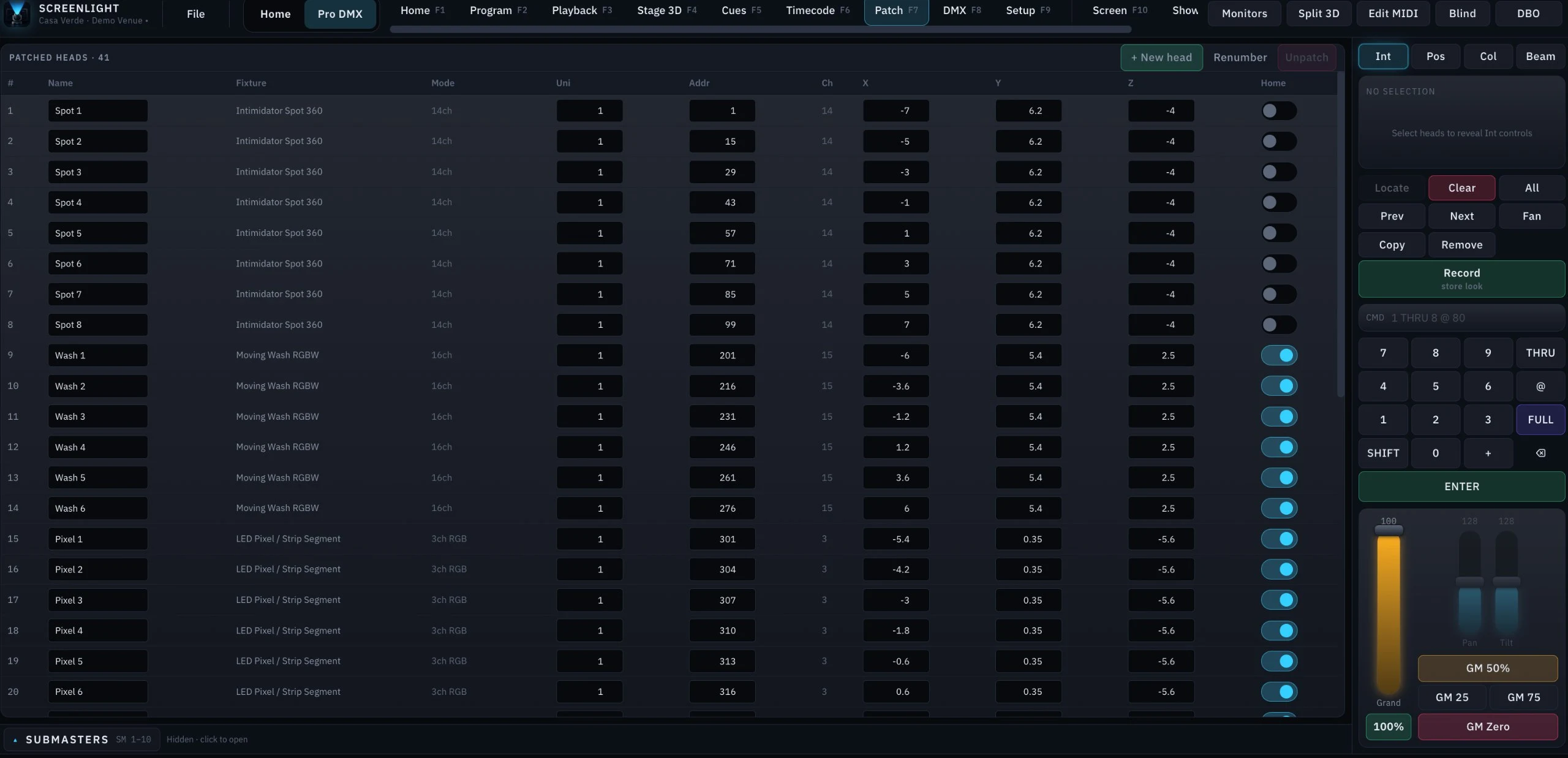
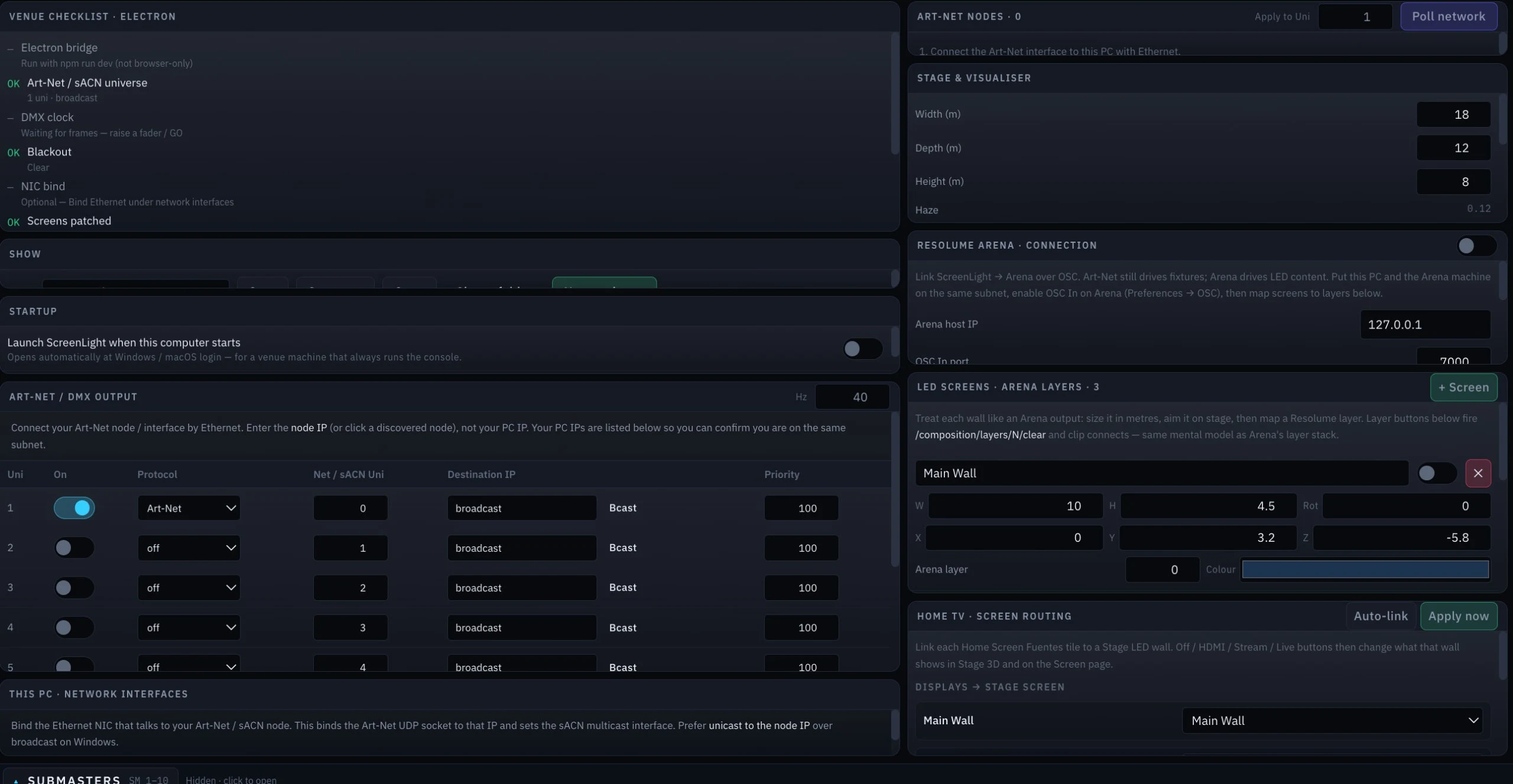
For the full connection walkthrough — network setup, universes, and every protocol reference — see the documentation.
Security
Locked down by design.
Every license is a signed, encrypted token. Every session is authenticated end to end. Activation is bound to your hardware, not a shareable string. Here is exactly what that means.
The installer is released against a licence
Builds are not behind a signup form. Every download is authorised per request against a live licence, and the build URL itself never reaches the browser — the page links to an endpoint, not to a file.
Every release is recorded
Which account took which build, when, and from where. If a build turns up somewhere it should not, the trail back to the licence it was issued under already exists.
Refunds take the licence with them
A refunded order revokes its licence and drops every activated seat in the same transaction. Nothing keeps working on the strength of a payment that was reversed.
Licenses are signed, not asserted
Activation returns a short-lived token signed on our servers. The application never decides on its own that it is licensed — it presents credentials and the server answers.
Activation is bound to hardware
A license is validated as a key and a registered machine together. A copied key on an unregistered machine is refused, and seats are visible and revocable from your account.
Hardware identifiers are never stored raw
The machine fingerprint is hashed by the application and hashed again server-side with a key that never leaves our infrastructure.
Validation is rate limited and monitored
Requests are counted per key, per device, and per address. A key being tried across many machines is throttled and flagged rather than quietly answered.
Encrypted in transit, everywhere
The site, the account API, and every activation call are TLS-only, with HSTS preloading. There is no plaintext fallback.
Your records are yours
Row-level security means an account can read only its own licenses, orders, and activations. Server-side write access is limited to the payment webhook and the licensing endpoints.
Found something?
We publish a responsible-disclosure policy with a named contact, a response window, and safe-harbour terms for good-faith research.
Responsible disclosure
Report a vulnerability.
If you have found a security issue in ScreenLight, tell us before you tell anyone else and we will work the fix with you. Good-faith research conducted within the scope below will not lead to legal action from us.
Contact
security@screenlight.appEncrypt with our PGP key if the report contains sensitive detail. Fingerprint is published at /.well-known/security.txt.
What to include
Affected endpoint or build, reproduction steps, and what an attacker gains. A proof-of-concept helps; a scanner export on its own usually does not.
Our commitments
- AcknowledgementWithin 2 business days
- Triage and initial assessmentWithin 5 business days
- Status updatesEvery 10 business days until closed
- Fix target, critical severity30 days
In scope
- screenlight.app and its subdomains
- The account API and licensing endpoints (/api/license/*)
- The payment webhook handler
- The ScreenLight desktop application, current release
Out of scope
- Denial-of-service and volumetric testing
- Social engineering of staff, customers, or vendors
- Physical attacks against offices or venues
- Findings that require a compromised operating system or a rooted device
- Reports produced solely by an automated scanner, with no demonstrated impact
What we do not claim
No independent penetration test has been published yet. When one is completed we will link a summary here with its date and scope. We hold no formal certification (SOC 2, ISO 27001) at this time, and we will not imply otherwise. No software can be called unbreakable, and we will not use that word about ours.